The Ultimate Guide to CPU Cooling Systems: Keeping Your Processor Chill
The central processing unit (CPU) is the brain of your computer, responsible for executing instructions and performing calculations. As CPUs work, they generate heat. If this heat isn’t dissipated effectively, it can lead to performance throttling, system instability, and even permanent damage. That’s where CPU cooling systems come in.
Choosing the right CPU cooler is essential for maintaining optimal performance and prolonging the lifespan of your processor. But with so many options available, it can be overwhelming to decide which one is best for your needs. This comprehensive guide will walk you through the different types of CPU coolers, the factors to consider when choosing one, and some of the top options on the market.
Why is CPU Cooling Important?
-
Prevents Throttling: When a CPU gets too hot, it will automatically reduce its clock speed to prevent damage. This process, called thermal throttling, significantly reduces performance. A good cooler keeps the CPU within its optimal temperature range, allowing it to operate at its maximum potential.
-
Ensures Stability: Overheating can lead to system instability, such as crashes, freezes, and the dreaded blue screen of death. A reliable cooler ensures that the CPU operates within safe temperature limits, preventing these issues.
-
Extends Lifespan: Excessive heat can degrade the components of a CPU over time, shortening its lifespan. By keeping the CPU cool, you can help prevent this degradation and ensure that it lasts longer.
-
Enables Overclocking: Overclocking involves pushing a CPU beyond its stock clock speed to achieve higher performance. However, overclocking generates even more heat. A high-performance cooler is essential for safely overclocking a CPU.
Types of CPU Cooling Systems
-
Air Coolers:
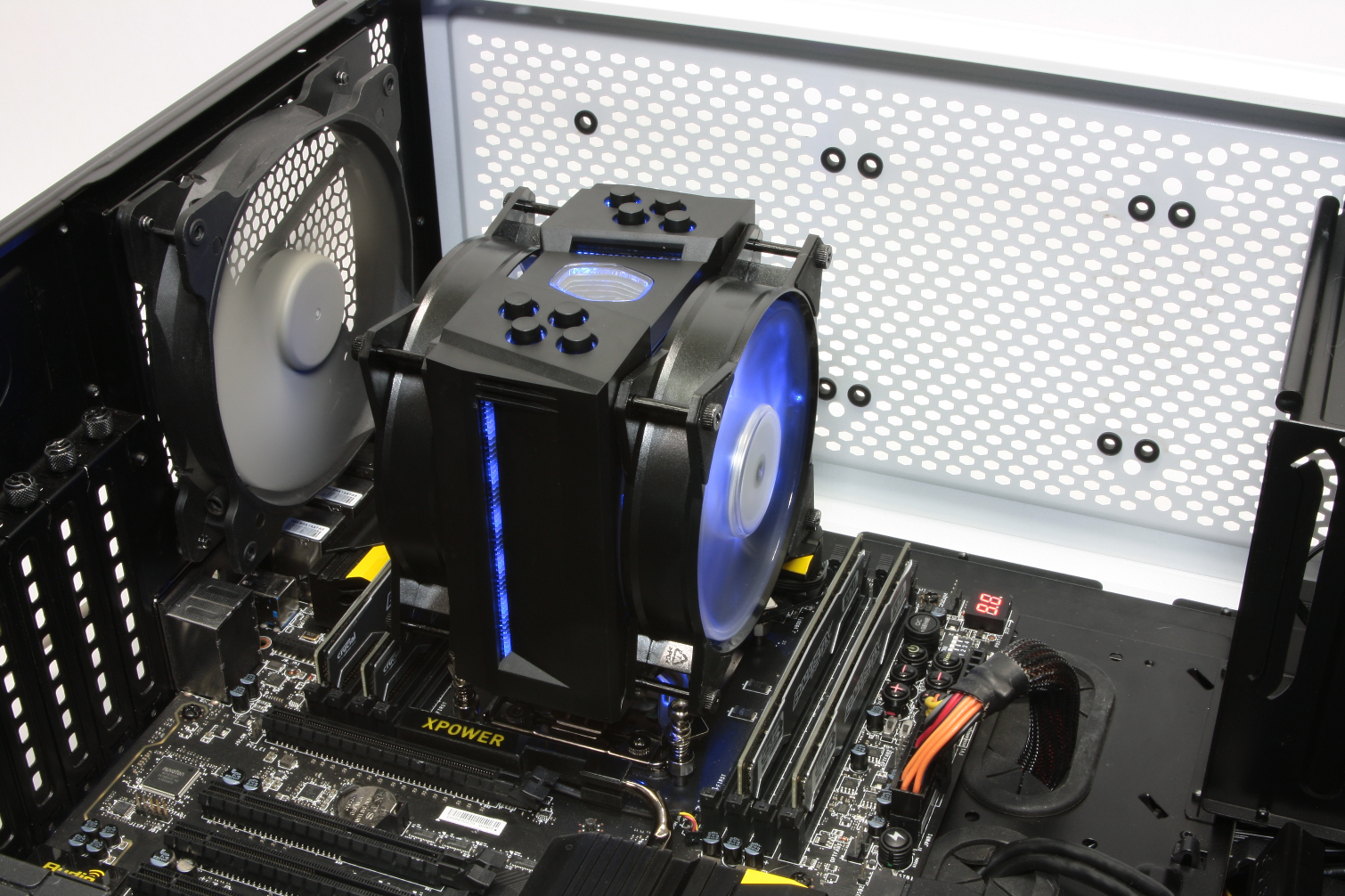
- How They Work: Air coolers consist of a heatsink and one or more fans. The heatsink is made of a thermally conductive material, such as aluminum or copper, and is designed to draw heat away from the CPU. The fan then blows air over the heatsink to dissipate the heat.
- Pros:
- Generally more affordable than liquid coolers.
- Simpler installation process.
- Lower risk of leaks.
- More reliable (fewer moving parts).
- Cons:
- Can be bulky and may not fit in smaller cases.
- May not be as effective as liquid coolers for high-end CPUs or overclocking.
- Can be noisy, especially at high fan speeds.
- Best For:
- Budget-conscious users.
- Users who prioritize simplicity and reliability.
- Systems with limited space.
-
Liquid Coolers (AIO & Custom Loops):
- How They Work: Liquid coolers use a liquid coolant to transfer heat away from the CPU to a radiator, where it is dissipated by fans. There are two main types of liquid coolers:
- All-in-One (AIO) Coolers: These are self-contained units that are pre-filled and sealed. They are easy to install and require no maintenance.
- Custom Loops: These are more complex systems that allow you to customize the cooling loop to include multiple components, such as the CPU, GPU, and motherboard.
- Pros:
- More efficient at cooling high-end CPUs.
- Can achieve lower temperatures than air coolers.
- Quieter than air coolers at comparable cooling performance.
- AIOs are relatively easy to install.
- Custom loops offer the ultimate in cooling performance and customization.
- Cons:
- More expensive than air coolers.
- AIOs have a small risk of leaks.
- Custom loops are complex to install and require regular maintenance.
- Best For:
- Users with high-end CPUs or who plan to overclock.
- Users who want the best possible cooling performance.
- Users who value aesthetics (liquid coolers often have RGB lighting).
- How They Work: Liquid coolers use a liquid coolant to transfer heat away from the CPU to a radiator, where it is dissipated by fans. There are two main types of liquid coolers:
Factors to Consider When Choosing a CPU Cooler
-
CPU Socket:
- Make sure the cooler is compatible with your CPU socket (e.g., LGA 1700 for Intel 12th/13th/14th Gen, AM5 for AMD Ryzen 7000 series).
-
TDP (Thermal Design Power):
- TDP is a measure of the maximum amount of heat a CPU can generate. Choose a cooler that is rated for at least the TDP of your CPU. If you plan to overclock, choose a cooler with a higher TDP rating.
-
Case Compatibility:
- Ensure the cooler will fit inside your computer case. Check the cooler’s dimensions and compare them to the available space in your case. Consider the height of air coolers and the radiator size of liquid coolers.
-
Noise Level:
- If you value a quiet system, look for coolers with low-noise fans or adjustable fan speeds. Liquid coolers are generally quieter than air coolers at comparable cooling performance.
-
Ease of Installation:
- AIO liquid coolers are generally easier to install than custom loops. Air coolers are also relatively easy to install, but some may require removing the motherboard.
-
Budget:
- CPU coolers range in price from around $20 to over $300. Set a budget and choose a cooler that offers the best performance for your money.
-
Aesthetics:
- If you care about the appearance of your system, consider coolers with RGB lighting or other aesthetic features.
Top CPU Cooler Recommendations
Air Coolers:
- Noctua NH-D15: The undisputed king of air coolers. Excellent cooling performance, quiet operation, and high build quality.
- be quiet! Dark Rock Pro 4: A close competitor to the NH-D15. Offers excellent cooling performance and quiet operation.
- Cooler Master Hyper 212 Black Edition: A popular budget-friendly option. Provides good cooling performance for the price.
AIO Liquid Coolers:
- NZXT Kraken Elite Series: High performance, customizable RGB lighting, and a sleek design.
- Corsair iCUE H150i Elite LCD: Excellent cooling performance, customizable LCD screen, and iCUE software integration.
- Arctic Liquid Freezer II Series: A great value option. Offers excellent cooling performance at a lower price than other AIO coolers.
Custom Loop:
- EKWB Custom Loop Kits: EKWB offers a wide range of custom loop kits for various budgets and needs. These kits include everything you need to build a custom loop, including the water block, pump, radiator, and tubing.
Conclusion
Choosing the right CPU cooler is essential for maintaining optimal performance, ensuring system stability, and extending the lifespan of your processor. Consider your CPU socket, TDP, case compatibility, noise level, ease of installation, budget, and aesthetics when making your decision. Whether you choose an air cooler or a liquid cooler, make sure it is capable of keeping your CPU within its optimal temperature range.
By following this guide, you can make an informed decision and choose the best CPU cooler for your needs. Happy building!