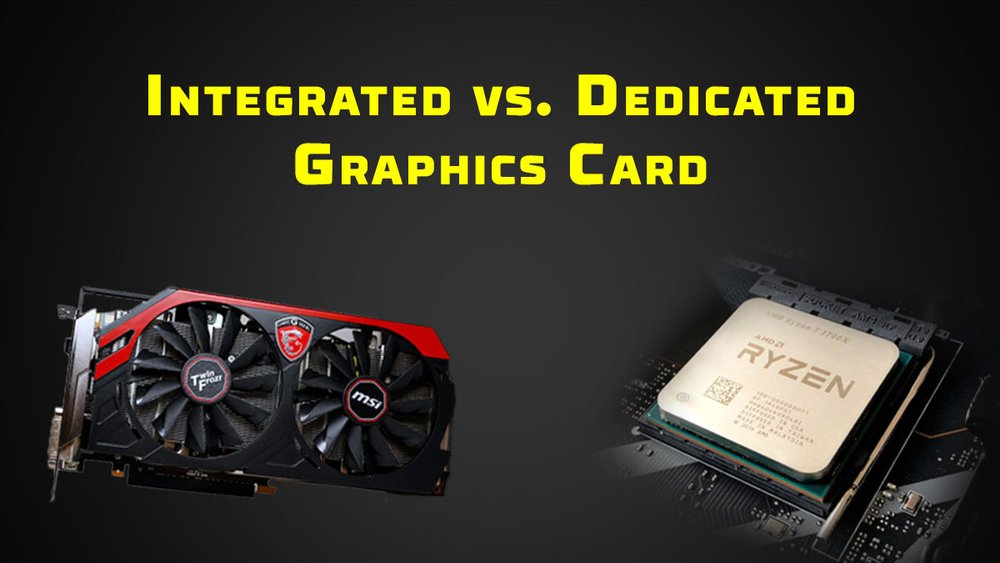
Integrated vs. Dedicated Graphics: Understanding the Key Differences in Graphics Processing
When building or buying a computer, one of the most crucial decisions you’ll face involves the graphics processing unit (GPU). This component is responsible for rendering images, videos, and animations that you see on your screen. There are two primary types of GPUs: integrated graphics and dedicated (or discrete) graphics. Understanding the differences between them is vital for making an informed decision that aligns with your computing needs and budget.
What are Integrated Graphics?
Integrated graphics, also known as onboard graphics, are built directly into the computer’s central processing unit (CPU) or the motherboard. They share system memory (RAM) with the CPU and don’t have their own dedicated memory.
-
How They Work:
- Integrated graphics leverage the CPU’s processing power and system RAM to handle graphics tasks.
- When the CPU receives a graphics-related request, it allocates a portion of the system RAM to the integrated graphics processor.
- The integrated GPU then processes the data and sends the output to the display.
-
Advantages of Integrated Graphics:
- Cost-Effective: Integrated graphics solutions are significantly more affordable than dedicated graphics cards. They come as part of the CPU or motherboard, eliminating the need for an additional purchase.
- Lower Power Consumption: Integrated graphics consume less power compared to dedicated GPUs. This translates to longer battery life in laptops and reduced electricity bills for desktop users.
- Compact Design: Integrated graphics don’t require additional space inside the computer case. This makes them ideal for small form factor PCs, laptops, and all-in-one computers.
- Sufficient for Basic Tasks: Integrated graphics are perfectly adequate for everyday tasks like web browsing, document editing, video playback, and light photo editing.
-
Disadvantages of Integrated Graphics:
- Limited Performance: Integrated graphics offer significantly lower performance compared to dedicated GPUs. They struggle with demanding tasks like gaming, video editing, and 3D rendering.
- Shared Memory: Because integrated graphics share system RAM with the CPU, it can lead to performance bottlenecks when running memory-intensive applications.
- Limited Upgrade Options: Integrated graphics are typically not upgradeable. If you need more graphics power, you’ll likely need to replace the entire CPU or motherboard.
- Lower Visual Quality: Integrated graphics may not support the latest graphics technologies or offer the same level of visual quality as dedicated GPUs.
What are Dedicated Graphics?
Dedicated graphics, also known as discrete graphics cards, are separate hardware components that are installed in a computer’s expansion slot (usually a PCI Express slot). They have their own dedicated memory (VRAM) and processing power, independent of the CPU and system RAM.
-
How They Work:
- Dedicated graphics cards have their own GPU, VRAM, and cooling system.
- When the CPU sends a graphics-related request, the dedicated GPU takes over the processing.
- The GPU uses its dedicated VRAM to store textures, models, and other graphics data, resulting in faster performance and better visual quality.
-
Advantages of Dedicated Graphics:
- Superior Performance: Dedicated graphics cards offer significantly higher performance compared to integrated graphics. They excel in demanding tasks like gaming, video editing, 3D rendering, and CAD work.
- Dedicated Memory: Dedicated GPUs have their own VRAM, which eliminates the performance bottlenecks associated with shared memory.
- Advanced Features: Dedicated graphics cards support the latest graphics technologies, such as ray tracing, DLSS, and variable refresh rate, which enhance visual quality and gaming performance.
- Upgradeability: Dedicated graphics cards can be easily upgraded as newer and more powerful models become available.
- Better Visual Quality: Dedicated GPUs can output higher resolutions, higher frame rates, and more detailed textures compared to integrated graphics.
-
Disadvantages of Dedicated Graphics:
- Higher Cost: Dedicated graphics cards are significantly more expensive than integrated graphics solutions.
- Higher Power Consumption: Dedicated GPUs consume more power compared to integrated graphics. This can lead to shorter battery life in laptops and higher electricity bills for desktop users.
- Larger Size: Dedicated graphics cards take up more space inside the computer case. This can be a problem for small form factor PCs.
- Additional Cooling: Dedicated GPUs generate more heat, so they require additional cooling solutions, such as fans or liquid coolers.
Key Differences Summarized
| Feature | Integrated Graphics | Dedicated Graphics |
|---|---|---|
| Cost | Lower | Higher |
| Performance | Lower | Higher |
| Power Consumption | Lower | Higher |
| Memory | Shared | Dedicated |
| Upgradeability | Limited | High |
| Size | Smaller | Larger |
| Use Cases | Basic tasks | Demanding tasks |
Choosing the Right Option
The choice between integrated and dedicated graphics depends on your specific needs and budget. Here’s a guide to help you make the right decision:
-
Integrated Graphics are Suitable For:
- Everyday tasks like web browsing, email, and document editing.
- Watching videos and streaming content.
- Light photo editing and basic graphics work.
- Users on a tight budget.
- Users who prioritize battery life and portability (laptops).
-
Dedicated Graphics are Suitable For:
- Gaming at medium to high settings.
- Video editing and 3D rendering.
- CAD and other professional graphics applications.
- Users who demand the best possible visual quality.
- Users who plan to upgrade their graphics card in the future.
In Conclusion
Integrated and dedicated graphics cater to different user needs and budgets. Integrated graphics offer a cost-effective and power-efficient solution for basic tasks, while dedicated graphics provide superior performance and advanced features for demanding applications. By understanding the key differences between these two types of GPUs, you can make an informed decision that aligns with your computing requirements and ensures a satisfying user experience.